Harsh Analysis with Gestalt (HAG)
HAG online calculator
Access this online version of the worksheet--no need to download! It calculates the confidence ranking for you automatically.
(Created by Shane Stone)
HAG worksheet (Excel)
Download this version of the worksheet in Excel. It calculates the confidence ranking for you automatically.
(Created by Shane Stone)
HAG worksheet (PDF)
Download this version of the worksheet in PDF format. Follow the instructions below to complete the calculations.
Harsh Analysis with Gestalt Worksheet
INSTRUCTIONS FOR COMPLETING THE WORKSHEET
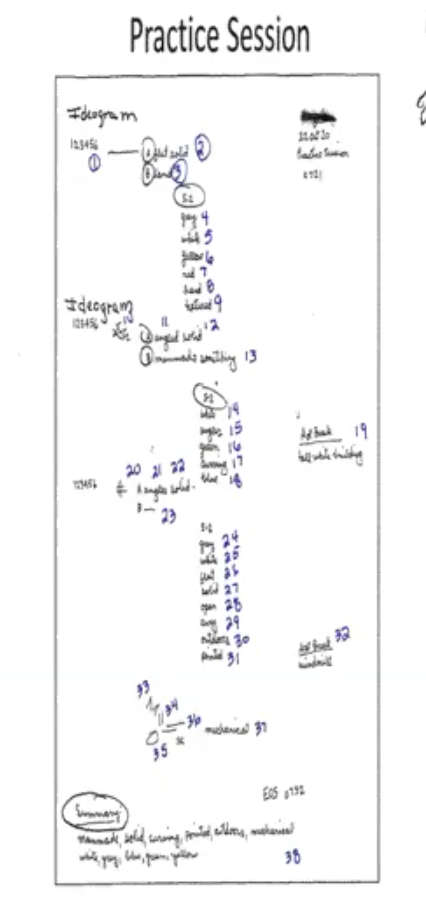
Number each element on your transcript - text, sketches, numbers, AOLs
ON THE WORKSHEET
Analyze each photosite separately.
Work through the elements on your transcript one by one.
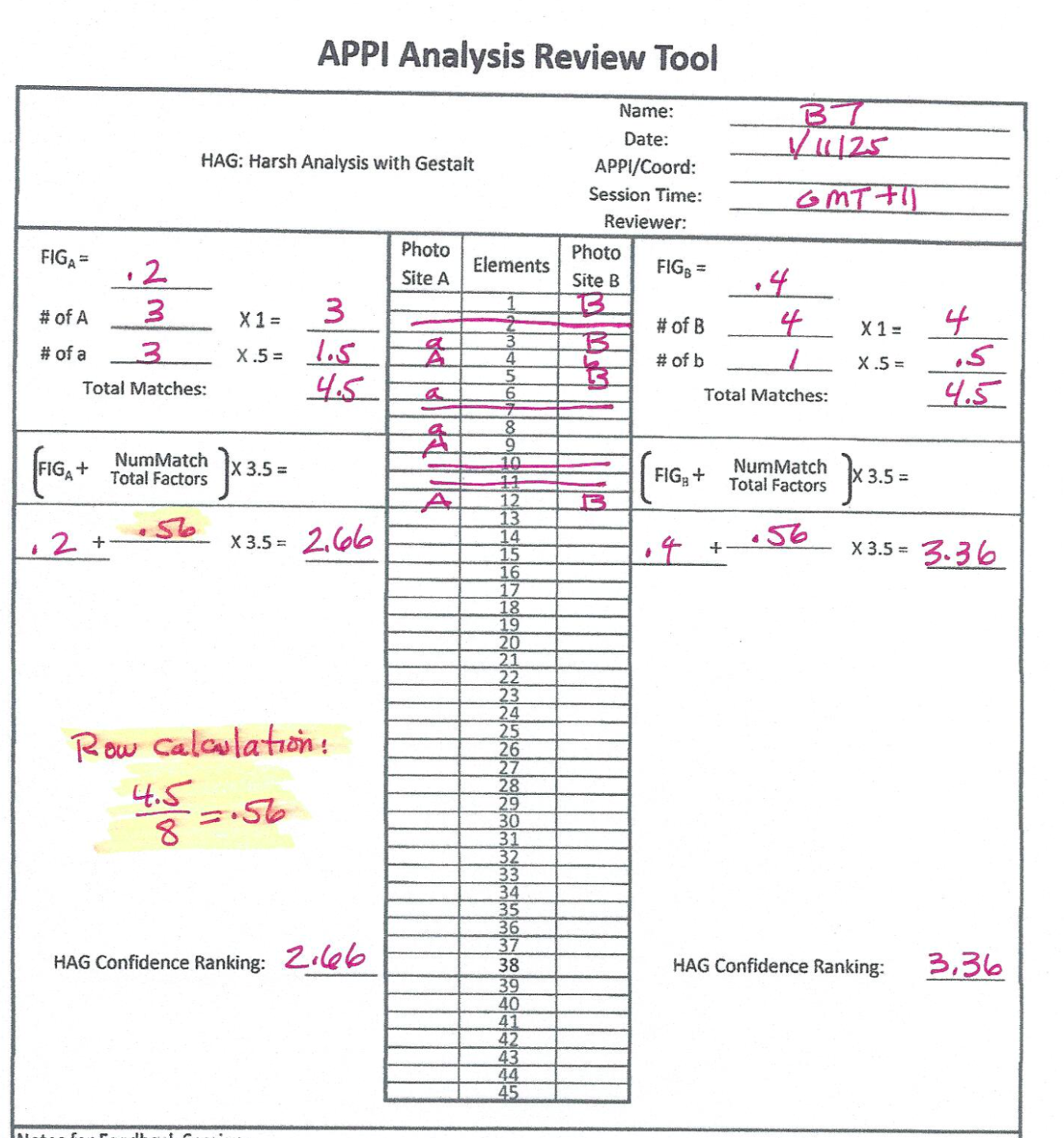
- Each numbered element from your transcript is individually entered as either capital A or lowercase a as it correlates to Photosite A
- Each numbered element from your transcript is individually entered as either capital B or lowercase b as it correlates to Photosite B
- If there is no correlation, leave the element blank. Lines with no entry for either Photosite A or B will not be counted.
GESTALT
Determine the gestalt for each of the photosites.
The gestalt is the "big picture" - the few elements that best describe the photosite.
Calculate Your Confidence Rankings (CRs)
First Impression Gestalt (FIG)
Compare your transcript to each photosite's gestalt to get the First Impression Gestalt (FIG). Rank your session between 0 (the worst) and 1 (the best): 0, 0.1, 0.2, 0.3, 0.4, 0.5, 0.6, 0.7, 0.8, 0.9, 1
FOR EACH PHOTOSITE
Each capital letter equals a full point
Each lowercase letter equals .5 (half) of a point.
Total the scores for each side, Photosite A and Photosite B
That number goes on the top line of the equation (numerator)
Total the number of lines where a capital or lowercase letter was entered for EITHER side
That number goes below the line In the equation (denominator)
Don't count lines where neither side had a match
Enter your FIG score (between 0 & 1) into the equation
The FIG equals 50% of the total score.
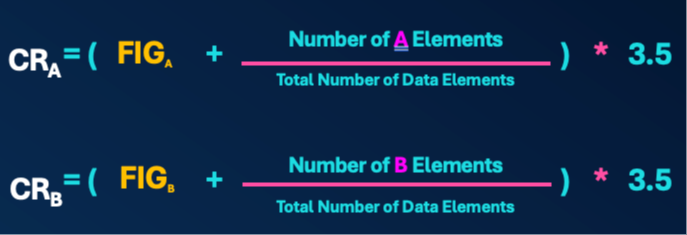
Add the FIG score to the score for the elements, then multiply by 3.5 to get the confidence ranking (CR) for that photosite.
Number each element on your transcript